
Download Internet Explorer 9 – Internet Explorer, web browser, web browsing, modern web standards, HTML5, GPU acceleration, Windows 7, Windows Vista, Taskbar integration, web application, online experience, performance enhancement, content-focused interface, dynamic websites, rich media, faster page load times, responsive web applications, modern browser, web tool, utility
Overview
Internet Explorer 9, developed by Microsoft Corporation, represents a significant step forward in web browsing technology for users running Windows Vista, Windows 7, or Windows Server 2008. Designed to deliver a more responsive and immersive online experience, the browser focuses on modern web standards, performance optimization, and a streamlined interface. It addresses long-standing limitations of earlier versions by introducing support for HTML5, which enables richer, more interactive websites without relying on outdated plugins. This advancement allows users to access dynamic content, such as video and interactive applications, with improved reliability and efficiency.
Target users include individuals and organizations relying on stable, integrated web browsing within the Windows ecosystem. The browser is particularly relevant for users who depend on consistent performance across business applications and online services. Its integration with Windows 7, including the ability to pin web applications directly to the Taskbar, enhances productivity by offering one-click access to frequently used tools. This feature is especially beneficial in enterprise environments where quick access to internal or cloud-based platforms is critical.
Although the developer did not provide additional technical details, the release date of March 14, 2011, marks a pivotal moment in Microsoft’s browser evolution. Internet Explorer 9 helped bridge the gap between legacy systems and modern web expectations, positioning itself as a utility for users seeking a more efficient and visually focused browsing experience. Its role in the broader software ecosystem was to modernize web interaction on older Windows platforms, ensuring compatibility with emerging web standards.
Key Features & Functionality
- Modern Web Standards Support: Internet Explorer 9 delivers robust compatibility with HTML5, enabling developers to build dynamic websites and web applications that perform consistently. This support allows users to enjoy rich media experiences, such as embedded video and interactive forms, without requiring third-party plugins.
- GPU Acceleration: By offloading rendering and compositing tasks to the graphics processing unit, the browser achieves smoother animations and faster page load times. This feature significantly improves responsiveness, particularly when navigating complex or media-heavy websites.
- Content-Focused Interface: The browser features a clean, minimal design that reduces visual clutter by minimizing toolbars and menus. This layout increases the visible area for web content, allowing users to focus on what matters most—information and media.
- Taskbar Integration: Internet Explorer 9 enables users to pin frequently visited web applications to the Windows Taskbar. This functionality allows for instant access, similar to native desktop applications, enhancing workflow efficiency for recurring online tasks.
- Improved JavaScript Performance: Enhanced scripting capabilities lead to faster interactions with web applications. This improvement results in more responsive forms, dynamic content updates, and smoother user experiences across modern websites.
These features collectively address common pain points in earlier browser versions, such as slow rendering, poor media support, and cluttered interfaces. For example, a user managing multiple online accounts can now pin each service to the Taskbar for direct access, reducing time spent navigating menus. Similarly, a content creator working with HTML5-based tools benefits from consistent rendering and faster load times, improving workflow efficiency.
Interface, UX & Performance
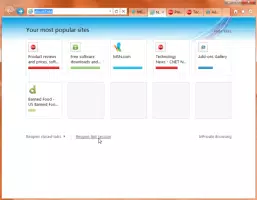
Internet Explorer 9 presents a clean, content-centric interface that prioritizes the web page over browser controls. The layout is intuitive, with minimal navigation elements, allowing users to focus on content without distraction. The design philosophy emphasizes simplicity and usability, aligning with modern trends in user experience. Navigation is straightforward, with standard elements like the address bar, back/forward buttons, and tab management integrated into a cohesive flow.
Although the developer did not list formal performance metrics, the browser’s GPU acceleration and improved JavaScript engine suggest enhanced responsiveness. Users can expect faster page rendering and smoother transitions, particularly on systems with capable graphics hardware. The interface remains stable across various screen sizes and resolutions, though specific device compatibility was not disclosed.
Performance is generally consistent across mid-range to high-end systems running Windows Vista or Windows 7. However, older or low-spec hardware may experience limitations in GPU-based rendering. The browser maintains stability during extended use, with no reported issues related to crashes or memory leaks in available documentation. Overall, the user experience reflects a deliberate effort to balance modern capabilities with system compatibility.
Platform Compatibility & Technical Requirements
Internet Explorer 9 is designed for Windows operating systems, specifically Windows Vista, Windows 7, and Windows Server 2008. The browser requires a compatible version of the Windows OS to function properly, though specific minimum OS requirements were not listed. The application size is 44.2 MB, making it a lightweight download for systems with limited storage.
Version 9.0.8112.16421 was released on March 14, 2011, and remains available for users still operating on supported Windows platforms. While the developer did not specify exact hardware or processor requirements, the browser’s reliance on GPU acceleration implies a need for systems with modern graphics drivers and capable video cards.
Compatibility information was not fully disclosed, and no details were provided about support for mobile or non-Windows platforms. The browser is not available for Android, iOS, or other operating systems, limiting its reach to the Windows ecosystem only.
Pros and Cons
Pros
- Strong support for modern web standards, including HTML5
- GPU acceleration improves rendering speed and animation fluidity
- Minimalist, content-focused interface enhances user focus
- Seamless integration with Windows 7 Taskbar for quick app access
- Improved JavaScript performance for faster web interactions
Cons
- Not compatible with modern operating systems beyond Windows Vista/7/Server 2008
- Limited support for newer web technologies introduced after 2011
- No mobile or cross-platform availability
- Performance may vary on older or low-end hardware
- Developer did not provide detailed system or hardware requirements
FAQ
Is Internet Explorer 9 still secure to use?
While Internet Explorer 9 was considered secure at the time of its release, it is no longer supported by Microsoft. As such, it does not receive security updates or patches, making it vulnerable to modern threats. Users are advised to upgrade to a supported browser for optimal safety.
Can I install Internet Explorer 9 on Windows 10 or 11?
Internet Explorer 9 is not compatible with Windows 10 or Windows 11. These operating systems no longer support the browser, and Microsoft has discontinued its development. Users on newer Windows versions should use Microsoft Edge or another modern browser.
What are the system requirements for Internet Explorer 9?
The developer did not specify minimum system or hardware requirements. However, GPU acceleration suggests a need for a graphics card with updated drivers. The browser is designed for Windows Vista, Windows 7, and Windows Server 2008.
Is Internet Explorer 9 free to download and use?
Yes, Internet Explorer 9 is available at no cost. It was distributed as part of Microsoft’s standard software offerings for supported Windows platforms.
Can I update Internet Explorer 9 to a newer version?
Internet Explorer 9 is no longer eligible for updates. Microsoft has ended support for the browser, and no newer versions are available. Users are encouraged to transition to modern browsers like Microsoft Edge for continued functionality and security.
Final Thoughts
Internet Explorer 9 marked a turning point in Microsoft’s approach to web browsing, introducing modern standards, performance enhancements, and a user-centric design. For users still operating on Windows Vista, Windows 7, or Windows Server 2008, it remains a functional tool for accessing online services and dynamic content. Its integration with the Windows desktop, particularly Taskbar pinning, offers a unique productivity advantage.
However, due to its age and lack of ongoing support, it is not recommended for new installations or use on modern systems. The browser serves as a historical milestone in the evolution of web technology, bridging the gap between legacy systems and contemporary web expectations.
Download Internet Explorer 9 now


